
API Reference
Overview
Scrydex Vision is our advanced computer vision API designed to identify trading cards from images. By leveraging machine learning models trained on millions of card images, Vision can accurately determine the card's identity, including its game, expansion, and specific variant.
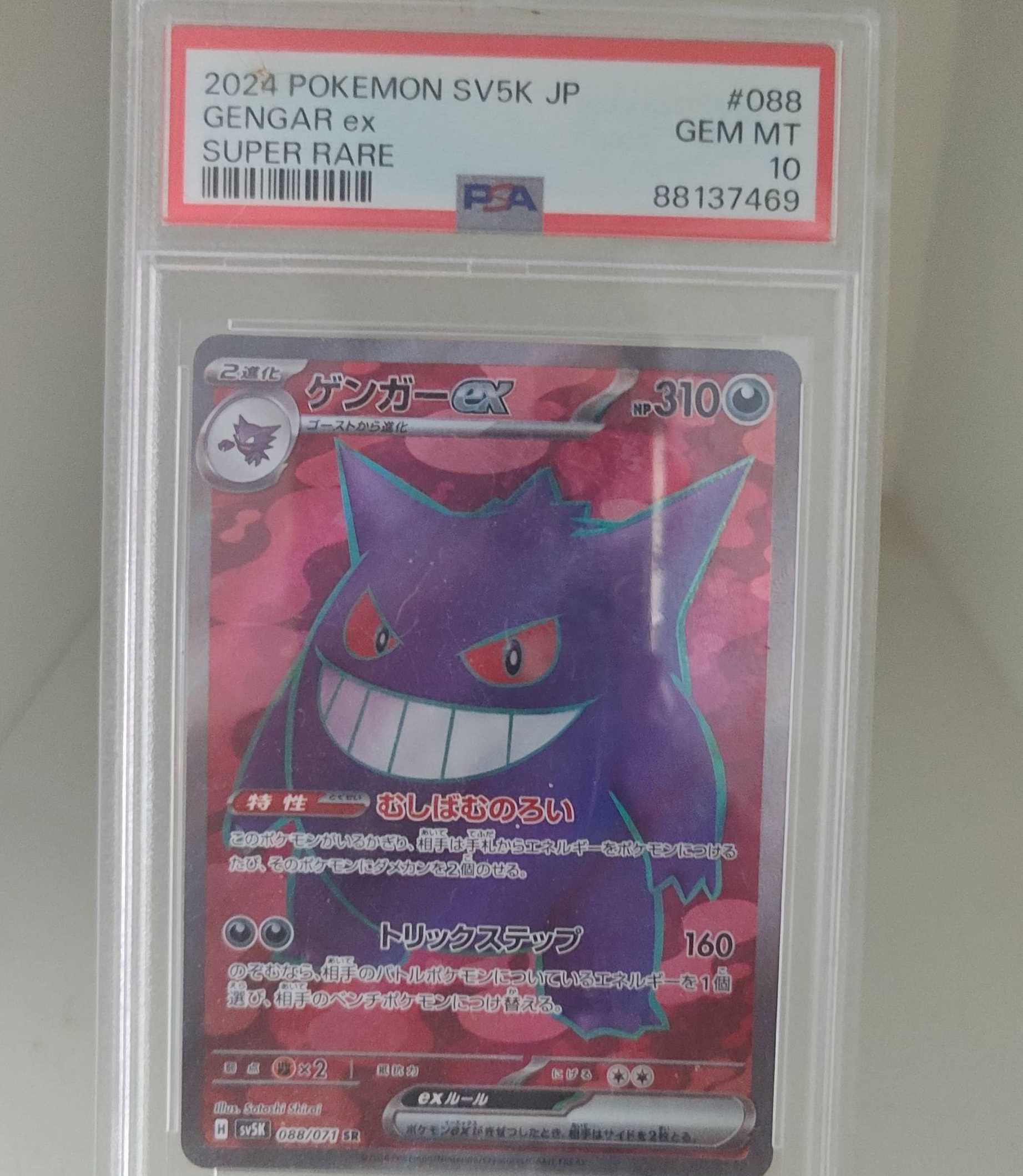
Vision can also extract details from graded cards, such as the grading company, grade number, and certification number, making it an essential tool for inventory management and marketplace integrations.
Key Features
- Auto-Identification: Automatically detect the TCG, expansion, and card number.
- Grading Detection: Extract grading information (PSA, BGS, CGC, and TAG currently supported) from slabbed cards.
- Multi-TCG Support: Identify cards from Pokémon, Magic: The Gathering, Lorcana, One Piece, Riftbound, and Gundam.
- Scoped Analysis: Use the
gamesfield to limit analysis to specific TCGs for faster and more accurate results.
Pricing
Vision is a premium API and costs 5 credits per request. Standard metadata requests typically cost 1 credit.
Response Timing
Vision analysis typically takes between 1-3 seconds depending on the image complexity and resolution.
Image Requirements
To ensure optimal performance and accuracy, please follow these guidelines:
- File Size: Maximum allowed file size is 20MB.
- Dimensions: We recommend images around 1500px to 2500px on the longest side.
- Quality: Use high-quality, clear images with good lighting. While we support large files, highly optimized images (e.g., 200KB - 500KB) will be significantly more performant and reduce latency while maintaining high accuracy.
- Format: We support common image formats including JPEG, PNG, and WebP.
Response Structure
data <object>
The root object containing the analysis and matches.
analysis <object>
The analysis of the image, including the type of card and any detected grading details.
- type
<string>: The type of card identified (e.g., "raw", "graded"). - game
<string>: The TCG the card belongs to (e.g., "pokemon"). - language_code
<string>: The detected language code of the card. - graded_details
<object>: (Optional) If the card is graded, this contains:- company
<string>: The grading company (e.g., "PSA"). - grade_code
<string>: The shorthand grade code (e.g., "GEM-MT"). - grade_label
<string>: The full grade label (e.g., "Gem Mint"). - grade_number
<string>: The numerical grade (e.g., "10"). - year
<string>: The year printed on the slab. - cert
<string>: The certification number of the slab.
- company
matches <array of objects>
A list of potential card matches found in our database, sorted by confidence score.
- score
<float>: The confidence score of the match. The confidence score is a combined index of visual similarity and data verification. It typically ranges from 0.7 to 1.3+. A higher score means the system is more certain because it found multiple matching signals on the card. - variant
<string>: The detected variant of the card identified. Only provided if we have high confidence. - card
<object>: The card object. This follows the same contract as our standard Card Objects.
page_size <integer>
The number of results returned per page.
count <integer>
The number of matches in the current response.
total_count <integer>
The total number of matches found.
Sample Acceptable Images
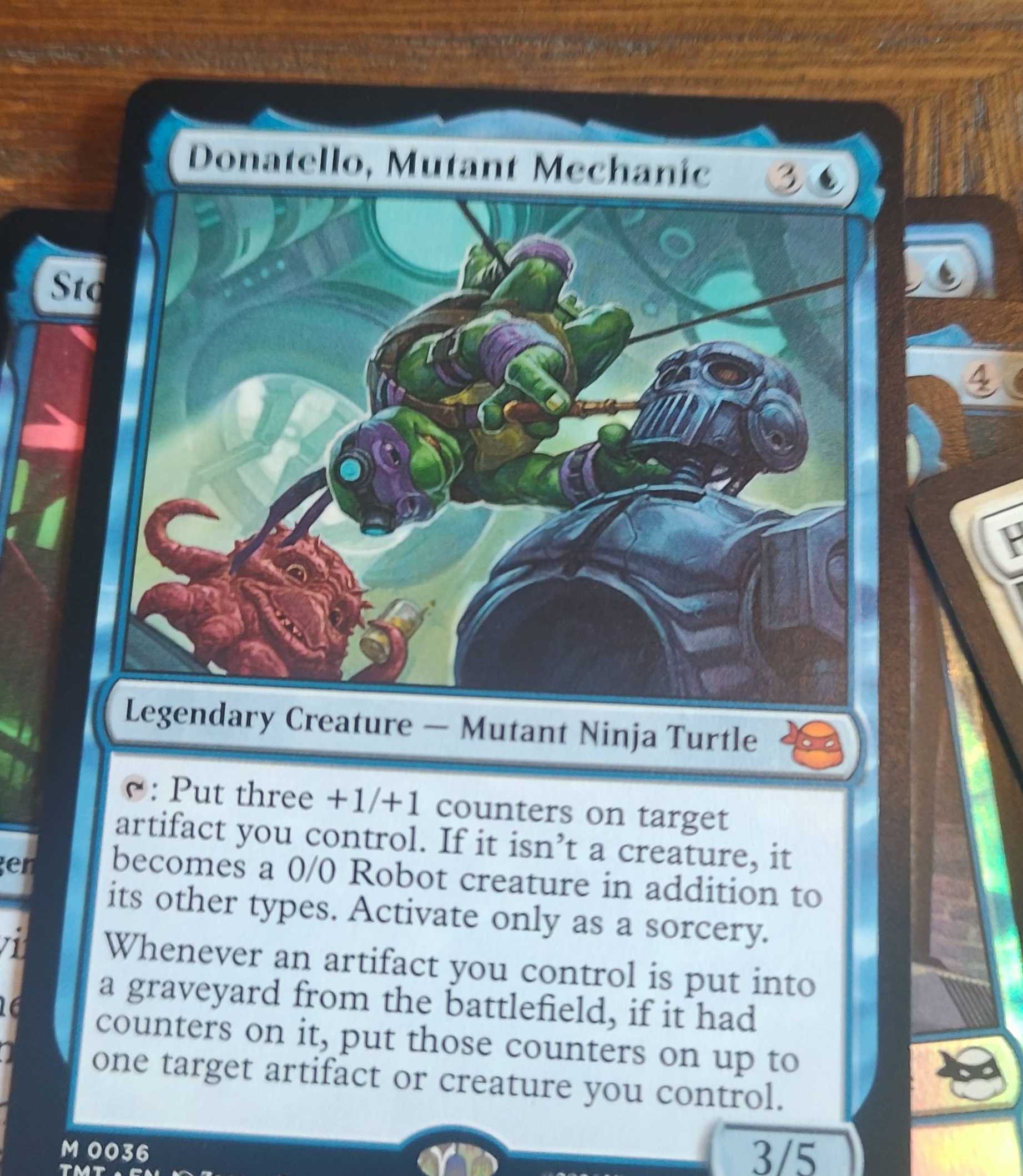
Raw Card Sample
Graded Card Sample
Sample Response
{
  "data": {
    "analysis": {
      "type": "graded",
      "game": "pokemon",
      "language_code": "EN",
      "graded_details": {
        "company": "PSA",
        "grade_code": "GEM-MT",
        "grade_label": "Gem Mint",
        "grade_number": "10",
        "year": "2026",
        "cert": "149202555"
      }
    },
    "matches": [
      {
        "score": 1.13252,
        "card": {
          "id": "me2pt5-284",
          "name": "Mega Gengar ex",
          "supertype": "Pokémon",
          "images": [
            {
              "type": "front",
              "small": "https://images.scrydex.com/pokemon/me2pt5-284/small",
              "medium": "https://images.scrydex.com/pokemon/me2pt5-284/medium",
              "large": "https://images.scrydex.com/pokemon/me2pt5-284/large"
            }
          ],
          "expansion": {
            "id": "me2pt5",
            "name": "Ascended Heroes"
          }
        }
      }
    ]
  }
}
curl -X POST 'https://api.scrydex.com/vision/v1/cards/identify' \
-H 'Content-Type: application/json' \
-H 'X-Api-Key: YOUR_API_KEY' \
-H 'X-Team-ID: YOUR_TEAM_ID' \
-d '{
  "image_url": "https://i.ebayimg.com/images/g/f7AAAeSwDgxp9s3N/s-l1600.jpg",
  "games": ["pokemon"]
}'
result = client.vision.identify_url(
  "https://i.ebayimg.com/images/g/f7AAAeSwDgxp9s3N/s-l1600.jpg",
  games: ["pokemon"]
)
const axios = require('axios');

const identifyCard = async (imageUrl) => {
  const response = await axios.post('https://api.scrydex.com/vision/v1/cards/identify', {
    image_url: imageUrl,
    games: ['pokemon']
  }, {
    headers: {
      'X-Api-Key': 'YOUR_API_KEY',
      'X-Team-ID': 'YOUR_TEAM_ID'
    }
  });

  return response.data;
};
import requests

def identify_card(image_url):
    url = "https://api.scrydex.com/vision/v1/cards/identify"
    payload = {
        "image_url": image_url,
        "games": ["pokemon"]
    }
    headers = {
        "X-Api-Key": "YOUR_API_KEY",
        "X-Team-ID": "YOUR_TEAM_ID"
    }

    response = requests.post(url, json=payload, headers=headers)
    return response.json()
Identify via URL
Identifying a card via a public Image URL is the most efficient way to use the Vision API. Simply provide a link to the image, and our servers will fetch and analyze it.
Parameters
image_url <string>
The publicly accessible URL of the card image. Supported formats include JPEG, PNG, and WebP.
games <array>
An optional array of TCG identifiers to scope the search. Providing this can improve accuracy and speed.
Example: ["pokemon"]
Scoping by Game
The games field lets you scope the analysis to only certain TCGs. Valid options include: pokemon, lorcana, magicthegathering, onepiece, riftbound, and gundam.
If you only work with Pokémon cards, for example, it is better to just have pokemon there. It will default to all supported games if left unspecified.
Endpoint
POST /vision/v1/cards/identify
Request Body
{
  "image_url": "https://i.ebayimg.com/images/g/f7AAAeSwDgxp9s3N/s-l1600.jpg",
  "games": ["pokemon"]
}
curl -X POST 'https://api.scrydex.com/vision/v1/cards/identify' \
-H 'Content-Type: application/json' \
-H 'X-Api-Key: YOUR_API_KEY' \
-H 'X-Team-ID: YOUR_TEAM_ID' \
-d '{
  "image_url": "https://i.ebayimg.com/images/g/f7AAAeSwDgxp9s3N/s-l1600.jpg",
  "games": ["pokemon"]
}'
result = client.vision.identify_url(
  "https://i.ebayimg.com/images/g/f7AAAeSwDgxp9s3N/s-l1600.jpg",
  games: ["pokemon"]
)
const axios = require('axios');

const identifyViaUrl = async (imageUrl) => {
  const response = await axios.post('https://api.scrydex.com/vision/v1/cards/identify', {
    image_url: imageUrl,
    games: ['pokemon']
  }, {
    headers: {
      'X-Api-Key': 'YOUR_API_KEY',
      'X-Team-ID': 'YOUR_TEAM_ID'
    }
  });

  return response.data;
};
import requests

def identify_via_url(image_url):
    url = "https://api.scrydex.com/vision/v1/cards/identify"
    payload = {
        "image_url": image_url,
        "games": ["pokemon"]
    }
    headers = {
        "X-Api-Key": "YOUR_API_KEY",
        "X-Team-ID": "YOUR_TEAM_ID"
    }

    response = requests.post(url, json=payload, headers=headers)
    return response.json()
Identify via File
If you have a local image file or a captured photo from a mobile device, you can upload it directly using a multipart/form-data request.
Parameters
image <file>
The binary image file to be analyzed. We recommend images around 1500px to 2500px on the longest side for optimal results.
games <string>
An optional string of comma-separated TCG identifiers to scope the search. Valid options include: pokemon, lorcana, magicthegathering, onepiece, riftbound, and gundam.
Mobile Best Practices
When capturing images on mobile devices, ensure the card is well-lit and fills most of the frame. Avoid glare on the card surface, especially for holographic or foil variants.
Endpoint
POST /vision/v1/cards/identify
Request Type
multipart/form-data
Form Data
image: [Binary File]games:pokemon(Optional)
curl -X POST 'https://api.scrydex.com/vision/v1/cards/identify' \
-H 'X-Api-Key: YOUR_API_KEY' \
-H 'X-Team-ID: YOUR_TEAM_ID' \
-F 'image=@/path/to/your/card.png' \
-F 'games=pokemon'
result = client.vision.identify_file(
  "/path/to/your/card.png",
  games: ["pokemon"]
)
const axios = require('axios');
const FormData = require('form-data');
const fs = require('fs');

const identifyFile = async (filePath) => {
  const form = new FormData();
  form.append('image', fs.createReadStream(filePath));
  form.append('games', 'pokemon');

  const response = await axios.post('https://api.scrydex.com/vision/v1/cards/identify', form, {
    headers: {
      ...form.getHeaders(),
      'X-Api-Key': 'YOUR_API_KEY',
      'X-Team-ID': 'YOUR_TEAM_ID'
    }
  });

  return response.data;
};
import requests

def identify_file(file_path):
    url = "https://api.scrydex.com/vision/v1/cards/identify"
    files = {'image': open(file_path, 'rb')}
    data = {'games': 'pokemon'}
    headers = {
        "X-Api-Key": "YOUR_API_KEY",
        "X-Team-ID": "YOUR_TEAM_ID"
    }

    response = requests.post(url, files=files, data=data, headers=headers)
    return response.json()